Wallet Management
Hush provides tools and systems for managing your wallets, including soft-deletion with recovery, operation blocking to prevent conflicts, and advanced manual management options.
What Is the Trash Can?
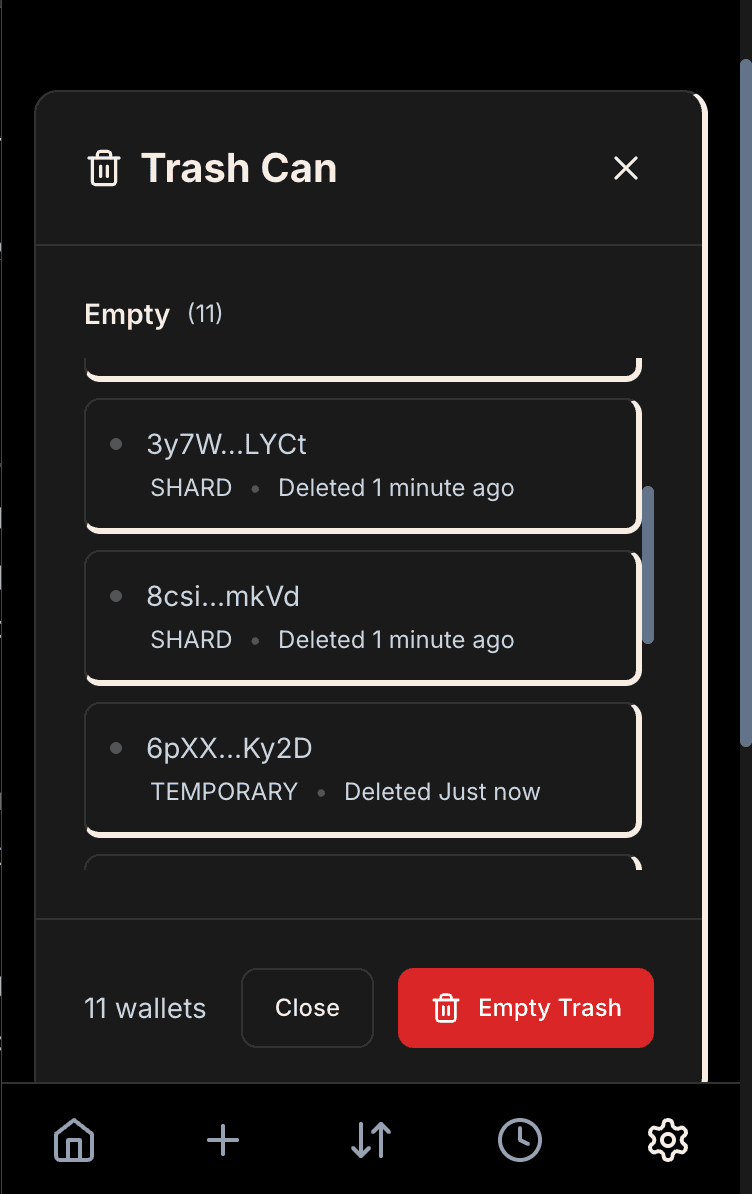
The trash can is Hush's soft-deletion system for wallets. When wallets are deleted (such as empty shards after consolidation or unused temporary wallets), they're not immediately permanently removed from your wallet data. Instead, they're moved to the trash can, where they remain for a grace period before automatic permanent deletion.
Soft Deletion
Soft deletion means the wallet is marked as deleted and removed from active use, but its data remains in your wallet storage. This provides a safety mechanism - if you accidentally delete a wallet or if there's an issue with the deletion process, the wallet can potentially be recovered from the trash can.
Wallets in the trash can are no longer used for operations. They don't appear in your active wallet list, and Hush won't send funds to them or use them in transactions. However, their data persists, allowing for recovery if needed.
Automatic Permanent Deletion
Wallets in the trash can are automatically permanently deleted after 7 days if they meet certain safety conditions:
- The wallet has been in the trash for more than 7 days
- The wallet's total SOL balance is less than 0.0009 SOL (checked at all commitment levels)
- The wallet has no SPL tokens at any commitment level
- Balance checks succeed (network errors preserve the wallet as a safety measure)
This automatic cleanup prevents your wallet storage from growing indefinitely with deleted wallets, while providing a 7-day grace period for recovery if needed. Wallets with meaningful balances (≥0.0009 SOL) or any tokens are preserved indefinitely to prevent accidental loss of funds.
Manual Trash Management
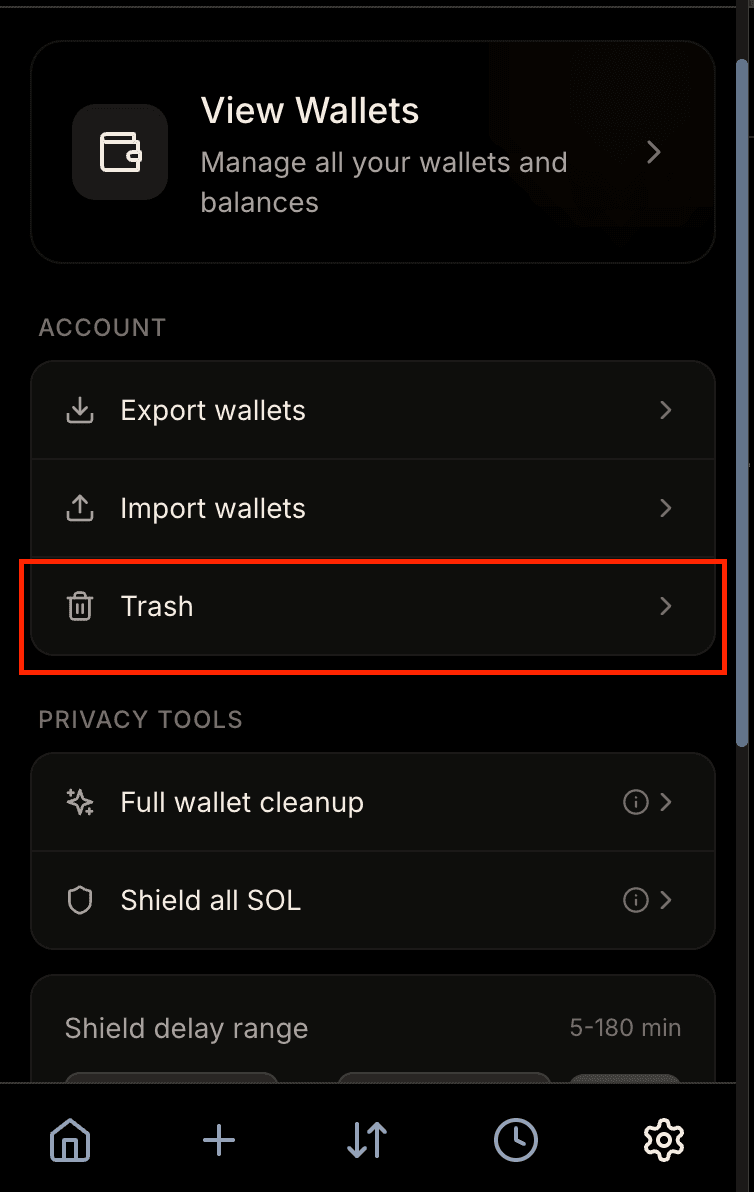
You can manually empty the trash can from the wallet settings. This permanently deletes all wallets in the trash that meet the same safety conditions (balance < 0.0009 SOL and no tokens). Manual emptying doesn't require waiting 7 days - it immediately deletes eligible wallets.
The trash can system ensures that wallet deletions are safe and reversible during the grace period, while automatically cleaning up old deleted wallets to keep your storage efficient.
Blocking Operations
Cleanup flows and their subflows are blocking operations - they prevent other operations from running while active. This ensures that wallet state remains consistent and prevents conflicts between concurrent operations.
What Gets Blocked
While a cleanup flow is active, the following operations are blocked:
- New swaps
- Sends
- Bridges
- New Shield All SOL operations (standalone)
- New consolidation operations (standalone)
- New cleanup flows
However, when Shield All SOL is in the WAITING_FOR_DELAY status (either as a standalone flow or as a subflow within a cleanup flow), relaxed blocking applies. During this delay, only Shield All flows and Cleanup flows are blocked. Swaps, sends, bridges, and consolidation operations can continue normally.
Receive flows are never blocked - you can always receive SOL and tokens regardless of what other operations are running. This is because receive operations don't interfere with other workflows.
How Blocking Works
The parent cleanup flow blocks operations from the moment it starts until it completes or fails, including all three stages (consolidation, shield all SOL, temp wallet cleanup). Even if one subflow completes, the cleanup flow remains active until all subflows finish. Each subflow also blocks operations while running - consolidation while merging shards, Shield All SOL while gathering and shielding SOL (with special relaxed blocking during WAITING_FOR_DELAY), and temp wallet cleanup while checking and deleting wallets.
Shield All SOL Blocking
Shield All SOL operations (both standalone and as part of cleanup flows) block operations during these stages:
GATHERING_PUBLIC_SOL- Collecting SOL from public sourcesGATHERING_PRIVATE_SOL- Collecting SOL from private sourcesSHIELDING_PUBLIC_SOL- Shielding aggregated public SOLWAITING_FOR_DELAY- Waiting for a random delay (this can take several minutes)SHIELDING_PRIVATE_SOL- Shielding aggregated private SOLSHIELDING_MAIN_WALLET_SOL- Shielding SOL from the main wallet
Relaxed Blocking During Delay
The WAITING_FOR_DELAY status uses relaxed blocking mode. Shield All SOL introduces a random delay between shielding public and private SOL to enhance privacy and prevent timing analysis attacks. During this delay, which can last several minutes, the flow remains active but only blocks specific operations:
Operations that ARE blocked during WAITING_FOR_DELAY:
- New Shield All SOL flows (standalone or within cleanup)
- New Cleanup flows
Operations that are NOT blocked during WAITING_FOR_DELAY:
- Swaps
- Sends
- Bridges
- Consolidation operations
- Temp wallet cleanup
This relaxed blocking allows you to continue using your wallet normally during the privacy delay, rather than blocking all operations for several minutes. The delay enhances privacy by breaking timing correlations between public and private SOL shielding operations.
Why Blocking Is Necessary
Blocking prevents conflicts that could cause:
- State Inconsistencies - Multiple operations modifying the same wallets simultaneously
- Double Spending - Attempting to use the same SOL or tokens in multiple operations
- Race Conditions - Operations interfering with each other's wallet selection or state updates
By ensuring only one non-receive operation runs at a time, Hush maintains wallet state integrity and prevents errors or fund loss. While this means you need to wait for cleanup to complete before starting other operations, it ensures everything runs safely and correctly.
Checking Active Flows
If an operation is blocked, Hush will show you an error message indicating that another flow is active. You can check which flows are active from the transaction history, where active flows are displayed with their current status. Wait for the active flow to complete (or fail) before starting new operations.
Advanced: Manual Wallet Management
For advanced users, Hush provides manual wallet management tools. You can view all your wallets (main, shards, temp wallets), see their balances, and perform manual operations like transferring between specific wallets or deleting empty ones.
Manual management is rarely necessary - the automated workflows handle most scenarios. However, it's useful for debugging issues, recovering from unusual states, or optimizing your setup beyond what the automated tools provide.
Be cautious with manual operations. Deleting wallets that still hold funds, or transferring in ways that break the privacy model, can reduce your protection. If you're unsure, stick with the automated workflows or ask for help in the Hush community.