Cleanup Flows
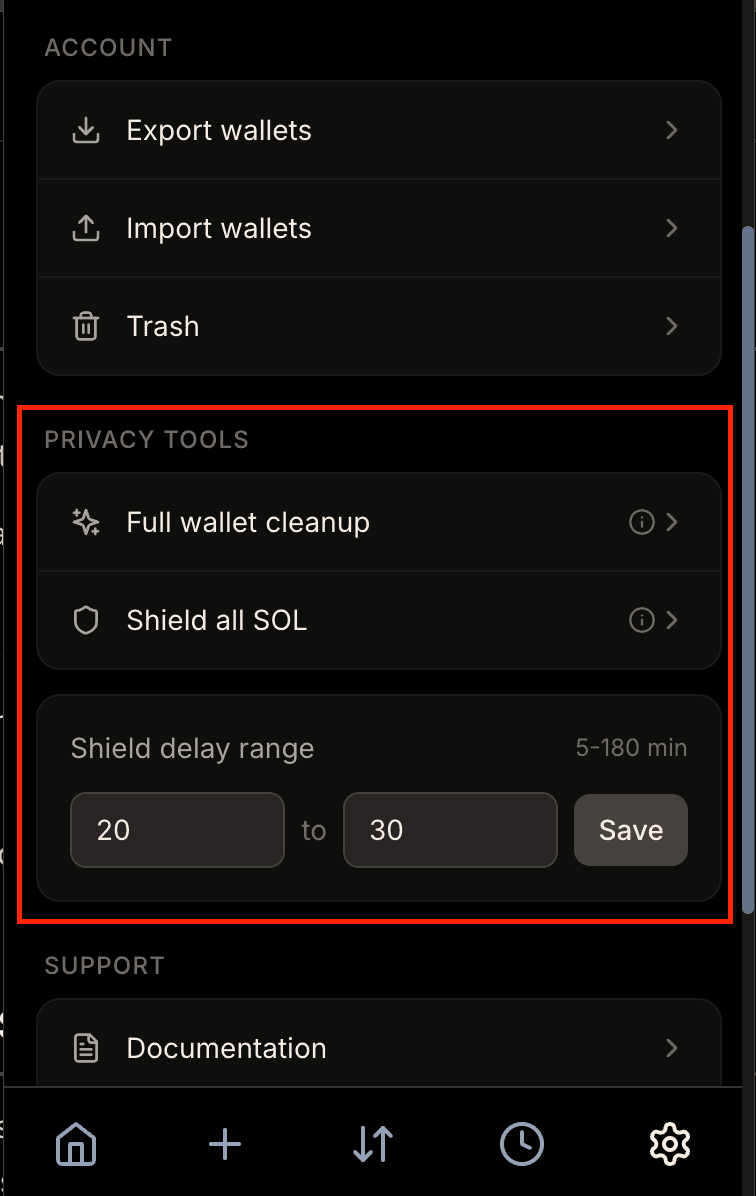
Cleanup flows are comprehensive maintenance operations that keep your Hush wallet organized, efficient, and private. As you use the wallet, shard wallets and temporary wallets accumulate. Cleanup flows consolidate these wallets, shield scattered SOL back to your private balance, and remove unused wallets, ensuring optimal privacy and performance over time.
Why Cleanup Flows Are Needed
Every shard wallet and temporary wallet is a separate Solana account that costs a small amount to maintain and transact with. As these wallets accumulate, transaction costs increase because operations need to coordinate across more accounts. Additionally, having too many shards with small balances can create privacy patterns that reduce your anonymity set, making it easier for observers to correlate your activity.
Cleanup flows solve these problems by consolidating wallets, recovering scattered SOL, and removing unused addresses. This maintains strong privacy while keeping transaction costs reasonable and operations fast. Regular cleanup also rotates old shards to refresh your privacy set, similar to defragmenting a hard drive - it doesn't change what you have, but organizes everything for better performance and privacy.
When to Run Cleanup Flows
Hush will prompt you to run cleanup flows when your wallet needs maintenance - typically after accumulating many shard wallets (from swaps, receives, or airdrops), when SOL is scattered across multiple wallets, or when transaction costs start feeling high. You can also manually trigger cleanup flows from the wallet interface. Cleanup flows are not urgent and can be delayed, but running them periodically keeps your wallet optimized and prevents slower transactions and higher fees as wallet counts grow.
What Are Cleanup Flows?
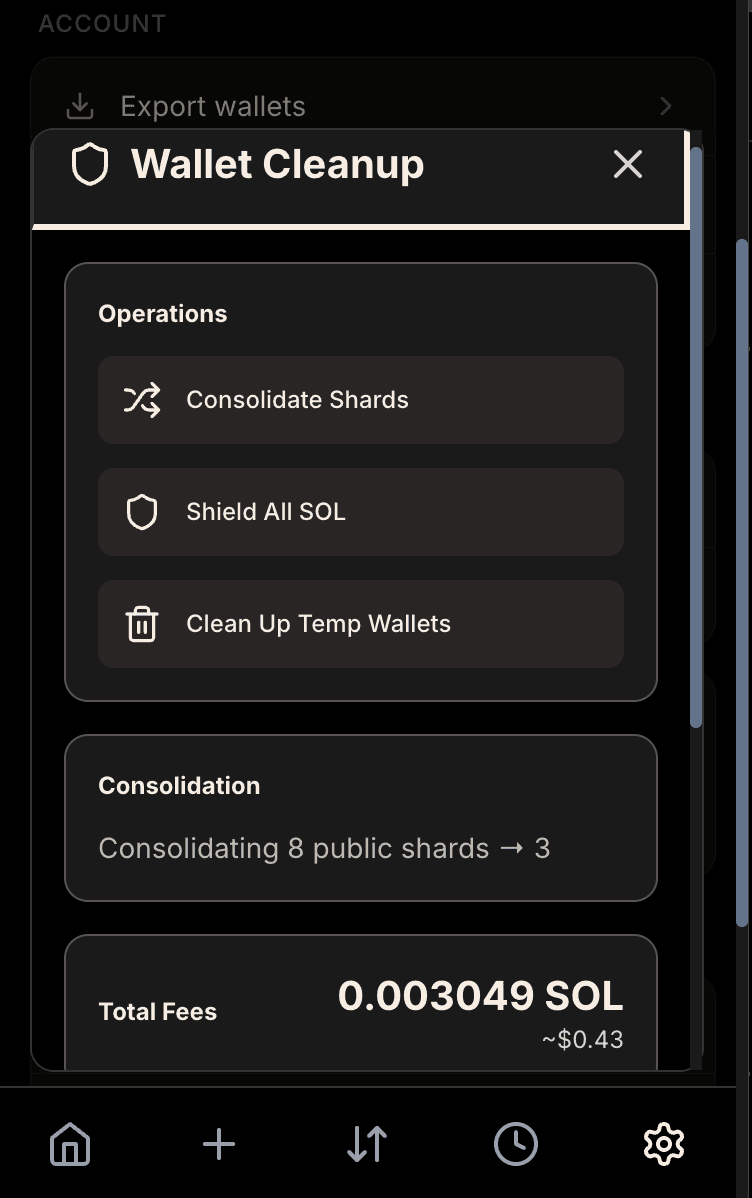
A cleanup flow is a unified workflow that combines three maintenance operations into a single coordinated process:
- Consolidation - Merges tokens from multiple shard wallets into fewer shards, reducing the total number of active accounts
- Shield All SOL - Gathers and shields scattered SOL from various wallets back to your private balance
- Temp Wallet Cleanup - Removes unused temporary wallets (expire after 1 day, then permanently deleted from trash after 7 more days)
These operations run sequentially as subflows within the main cleanup flow. Each subflow can be skipped if not needed. The cleanup flow progresses through stages: CONSOLIDATING → SHIELDING_SOL → CLEANING_TEMP_WALLETS → COMPLETED (or FAILED). Each subflow has its own status (PENDING, IN_PROGRESS, COMPLETED, FAILED, or SKIPPED) that you can monitor in the transaction history. If a subflow fails, the cleanup flow may continue with the remaining operations or mark the entire flow as failed, depending on the severity of the error.
Note: Cleanup flows are blocking operations that prevent other operations from running while active. See Wallet Management - Blocking Operations for details on what gets blocked and how blocking works.
Conditions to Shield All SOL
The Shield All SOL subflow gathers SOL from various sources (public shards, private shards, temporary wallets, bridge temp wallets, and the main wallet) and shields it back to your private balance. However, it only processes wallets that meet certain conditions to ensure the operation is cost-effective.
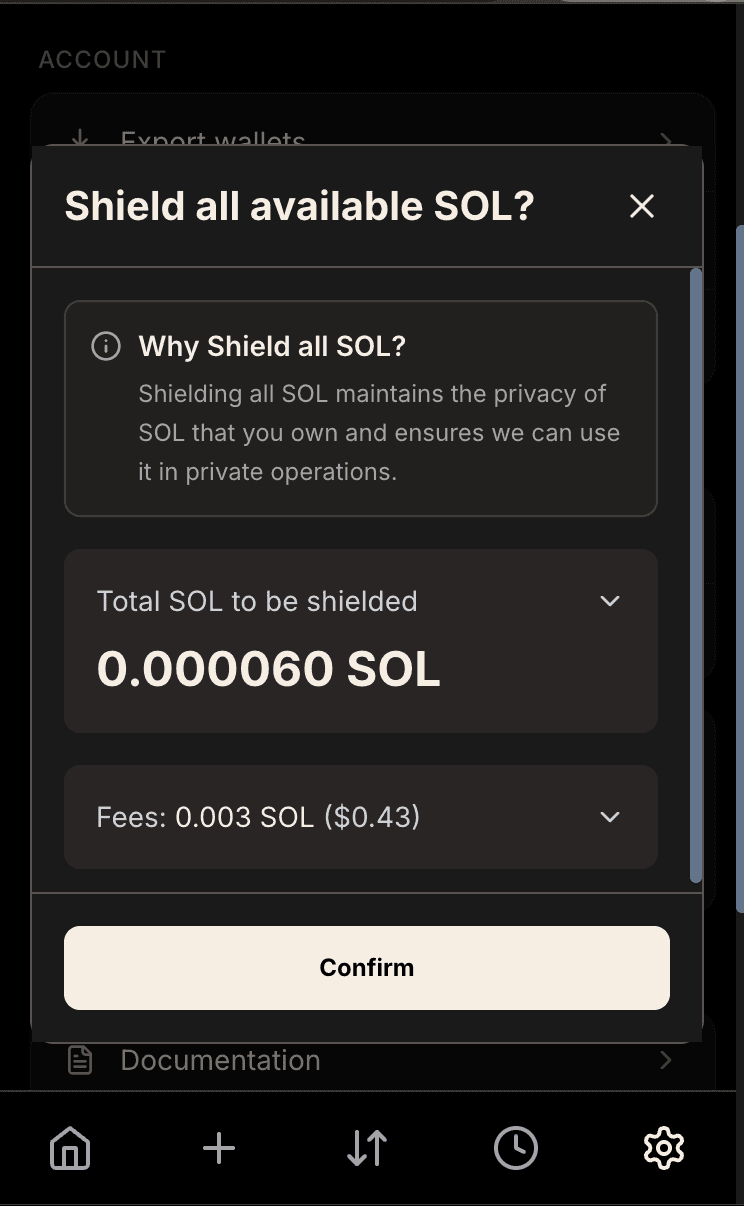
A wallet must have at least 0.0009 SOL (900,000 lamports) to be eligible. Shield All SOL works by aggregating SOL from eligible wallets into temporary aggregator shards (public and private sources are aggregated separately to maintain privacy boundaries), then shielding the aggregated amounts. For each source wallet, if the balance exceeds the threshold, it transfers the SOL (minus transaction fees) to an aggregator shard. Once enough SOL is gathered, it shields the aggregated amount to your private balance. If an aggregator shard doesn't accumulate enough SOL to exceed the shielding fee reserve (0.003 SOL), the shielding operation is skipped to avoid spending more on fees than you'd recover.
Fees for Cleanup
Cleanup flows involve multiple transactions and operations, each of which incurs fees. Before running a cleanup flow, Hush calculates and displays estimated costs so you know what to expect. Fees include:
- Solana Network Fees - Transaction fees for each on-chain operation
- Shielding Transaction Fees - 0.003 SOL reserved per shield operation (covers ZK proof submission)
- Relayer Reimbursement - Privacy Cash withdrawal fee for reimbursing transaction costs
Consolidation fees depend on how many shard wallets need to be merged - each token transfer requires a transaction. All consolidation transaction fees are paid by the Hush relayer and reimbursed from your shielded balance. Public and private shard consolidations are handled separately to maintain privacy boundaries. Shield All SOL fees depend on how many wallets have eligible SOL and how many shielding operations are needed. The total Shield All SOL fee can be 0 SOL (no eligible wallets), 0.003 SOL (only public or only private SOL), or 0.006 SOL (both public and private SOL). Temp wallet cleanup has minimal fees since it only involves checking balances and deleting wallet data.
Actual costs may vary slightly (±10-20%) if network fees change. The cost estimate helps you decide whether running cleanup is worth it - if you have very little scattered SOL or few shards to consolidate, the fees might exceed the benefit.
Best Practices
Run consolidation when you have accumulated many shards or when transaction costs start feeling high. You don't need to consolidate frequently - periodic cleanup is usually sufficient for typical usage.
Execute auto-shield after consolidation to capture any SOL left in shards that were deleted. This ensures you're getting back all the value from those wallets before they're removed.
Keep some buffer in your shielded balance to cover cleanup costs. If your shielded balance is very low, you may not be able to run cleanup until you shield more SOL. Aim to keep some SOL shielded as a maintenance buffer.
Don't run cleanup workflows right before making important transactions. These operations take time and tie up your wallet. Complete cleanup when you have a few minutes and aren't in a hurry to send or swap.
Troubleshooting Cleanup Issues
If consolidation fails partway through, check your shielded balance. Insufficient balance for relayer reimbursement is the most common cause of failure. The relayer pays fees upfront but requires reimbursement from your shielded SOL. If you're running low, shield more SOL before retrying consolidation.
Network congestion can cause cleanup workflows to timeout or fail. If you encounter repeated failures, try running the workflow during off-peak hours when Solana network load is lower. Early morning UTC times often have less congestion.
If a workflow seems stuck, you can safely close the wallet and come back later. Hush tracks all operation states and will resume from the last completed step. Nothing is lost when you interrupt a workflow - it just picks up where it left off next time.