Receiving Funds
Temporary Wallets
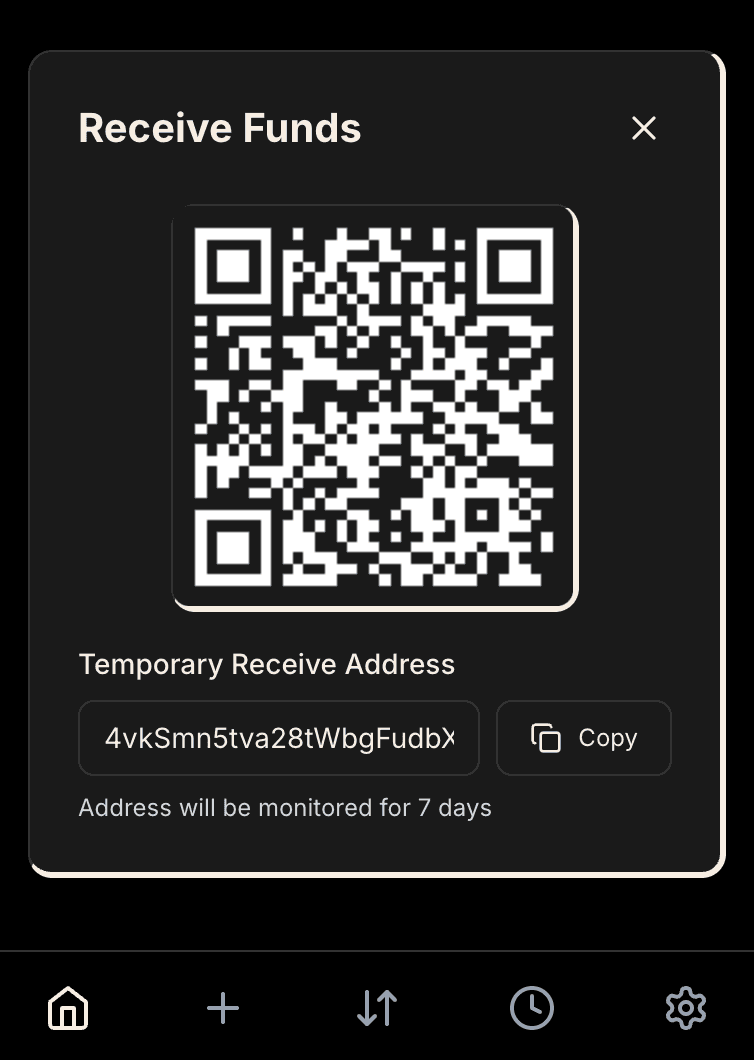
When you tap Receive, Hush generates a fresh keypair for a one-time temporary wallet. These aren't derived from your main wallet — they're completely random, so blockchain analysis can't link them back to you cryptographically. Unused temp wallets expire after 1 day and move to the trash can, where they're permanently deleted 7 days later.
Hush monitors all active temp wallets in the background. When funds land, processing begins automatically within seconds.
Receiving SOL
The shielding threshold is 0.003 SOL. This covers Privacy Cash protocol fees and transaction costs.
Auto-Shielding (≥0.003 SOL)
When you receive at least 0.003 SOL, Hush automatically shields it:
- The temp wallet reserves 0.003 SOL for transaction fees
- Remaining SOL is shielded to your main wallet's private balance
- The temp wallet pays all fees and gets cleaned up
This takes 10-30 seconds for ZK proof generation. Once confirmed, the SOL appears in your private balance — completely unlinkable to the receive address.
Small Amounts (<0.003 SOL)
Amounts below the threshold can't cover shielding fees. Instead of leaving funds stranded, Hush converts the temp wallet into a public shard. The SOL is preserved and can be consolidated later through cleanup workflows.
Receiving SPL Tokens
SPL tokens can't be shielded like SOL. Instead, Hush automatically converts the temporary wallet into a public shard wallet. The tokens stay exactly where they are - no transaction required, no fees.
How It Works
When SPL tokens arrive at a temp wallet, Hush automatically converts it into a public shard wallet. This is just a wallet type change - the address stays the same, the tokens don't move, and no blockchain transaction is required.
Because there's no transaction, there are no fees involved in receiving SPL tokens. You can receive tokens even with zero shielded balance. The conversion happens instantly in the background once tokens are detected.
Multiple Tokens
If you receive multiple token types in one transaction, Hush creates a separate flow for each mint. Each is processed independently.
Monitoring & Retries
Track receive status in your transaction history:
- Waiting — Temp wallet active, no funds yet
- Funds Detected — Processing started
- Shielding — ZK proof generating (SOL only)
- Complete — Funds available in your balance
- Failed — Error occurred (can retry)
If shielding fails due to circuit constraints (common with many existing UTXOs), wait a minute for the blockchain to settle and retry. If you export a temp wallet's key and move funds externally, Hush detects the zero balance and marks the flow failed.